 MarqueeFlow
A WordPress block for images in motion
Scrolling images.
Make them your own.
Turn your logos and photos into a continuous scrolling strip. Build it in the WordPress block editor. Fine-tune it with Pro.
- CSS-powered animation
- Native block editor
- No account needed for Free
One block. Different looks.
A little movement.
A lot of possibilities.
Explore the settings behind each example. Both logos and photographs work in Free; settings marked PRO need the separate Pro add-on.
Classic logo strip
Small logos, steady movement.






Settings used
- Image height
- 40px · Small
- Image gap
- Normal preset
- Animation speed
- Normal
- Moves
- To the left
- Pause on hover
- Off
The other direction
The same setup, moving to the right.
Settings used
- Image height
- 40px · Small
- Image gap
- Normal preset
- Animation speed
- Normal
- Moves
- To the right
- Pause on hover
- On
Fast and spacious
Larger logos, precise spacing. Hover to pause.
Settings used
- Image height
- 60px · Medium
- Image gap PRO
- 72px · Custom
- Animation speed
- Fast
- Moves
- To the left
- Pause on hover
- On
Soft monochrome
Muted logos with softly fading edges.
Settings used
- Image height
- 40px · Small
- Image gap
- Normal preset
- Animation speed
- Slow
- Moves
- To the left
- Pause on hover
- On
- Image color PRO
- Grayscale
- Image opacity PRO
- 50%
- Fade edges PRO
- On
Monochrome after dark
Inverted grayscale on a dark background.
Settings used
- Image height
- 60px · Medium
- Image gap
- Normal preset
- Animation speed
- Slow
- Moves
- To the left
- Pause on hover
- On
- Image color PRO
- Inverted grayscale
- Fade edges PRO
- On
- Image opacity PRO
- 75%
Travel in motion
Photos, not just logos. A scrolling strip with rounded corners.

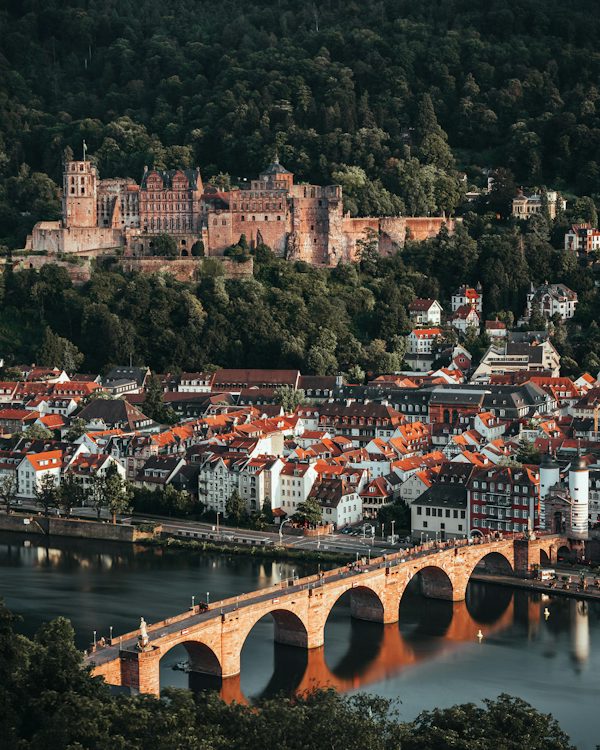

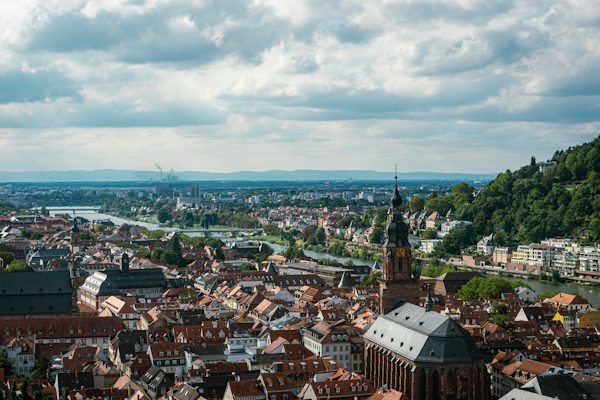
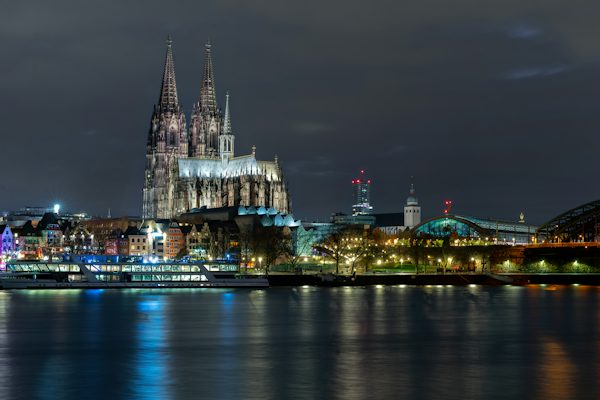
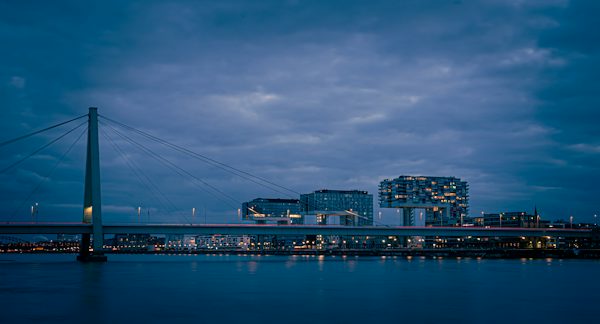
Settings used
- Image height PRO
- 300px · Custom
- Image gap PRO
- 24px · Custom
- Animation speed
- Slow
- Moves
- To the left
- Pause on hover
- On
- Corner radius
- 12px
Start simple. Add precision.
Free covers the essentials.
Pro gives you more control.
Keep everything you like about Free. Add exact sizing, spacing and visual effects when your design needs them.
| Feature | Free | Free + Pro |
|---|---|---|
| Image selection & marquee animation | Included | Included |
| Speed presets (Slow, Normal, Fast) | Included | Included |
| Height presets (Small, Medium, Large) | Included | Included |
| Gap presets (Normal, Spacious) | Included | Included |
| Max image width control | Included | Included |
| Direction (left-to-right, right-to-left) | Included | Included |
| Pause on hover | Included | Included |
| Drag-and-drop image reordering | Included | Included |
| ARIA labels and reduced-motion support | Included | Included |
| Image corner radius | Included | Included |
| Custom image height (pixel-perfect) | Not included | Included |
| Custom gap between images (pixel control) | Not included | Included |
| Fade edges (gradient on left & right) | Not included | Included |
| Image opacity control | Not included | Included |
| Image color: original, grayscale or inverted grayscale | Not included | Included |
MarqueeFlow Pro
Your sites. Your plan.
Every plan includes all Pro features, updates and support while your license is active.
Subscriptions renew annually until canceled. Prices are in USD, before applicable taxes. Pro requires the free MarqueeFlow plugin and an eligible activated license.
Plans cover independent WordPress sites. WordPress Multisite networks are not currently supported.
Keep Free active. Install the Pro ZIP from your purchase email. Activate your license in WordPress. More about setup and licensing
A few helpful details
Before you get
things moving.
Free works on its own.
Pro is there when you need more.
Do I need a page builder or coding skills?
No. Add MarqueeFlow in the WordPress block editor, choose images from the Media Library and adjust the settings in the sidebar.
Is MarqueeFlow only for logos?
No. Both logos and photographs work in Free. Pro adds custom image sizing, spacing and visual effects; using photographs does not require Pro.
Can I use SVG logos?
Yes, if SVG uploads are enabled on your WordPress site through a suitable plugin that sanitizes them. WordPress does not permit SVG uploads by default, and MarqueeFlow does not enable them itself.
What happens when a visitor prefers reduced motion?
When a visitor’s device or browser requests reduced motion, automatic scrolling stops. The images remain available in a horizontally scrollable strip.
How do I install Pro after purchase?
- Install and activate MarqueeFlow Free if you haven’t already.
- Download the Pro ZIP from your purchase email or Freemius account, then upload and activate it in WordPress under Plugins → Add Plugin.
- Choose Activate License under MarqueeFlow Pro in your plugin list and enter your license key.
What happens when my Pro license expires?
Paid controls lock and Pro effects stop on published pages, which fall back to Free settings. Saved Pro settings are retained and become available again after renewal and license sync. Deactivating or removing Pro also restores Free behavior without needing to re-save your blocks.
What is the refund policy?
If you’re unhappy with Pro or have an issue we cannot resolve, contact us within 14 days. Requests for a full refund are considered under the policy shown at Freemius checkout.
Ready when you are